Incognito Mode and Clear History
Tifo includes cleanup controls for people who want a fresh player state without rebuilding their whole library.
Use these settings when you share a device, test temporary sources or simply do not want watch activity and search history to stay visible inside the app.
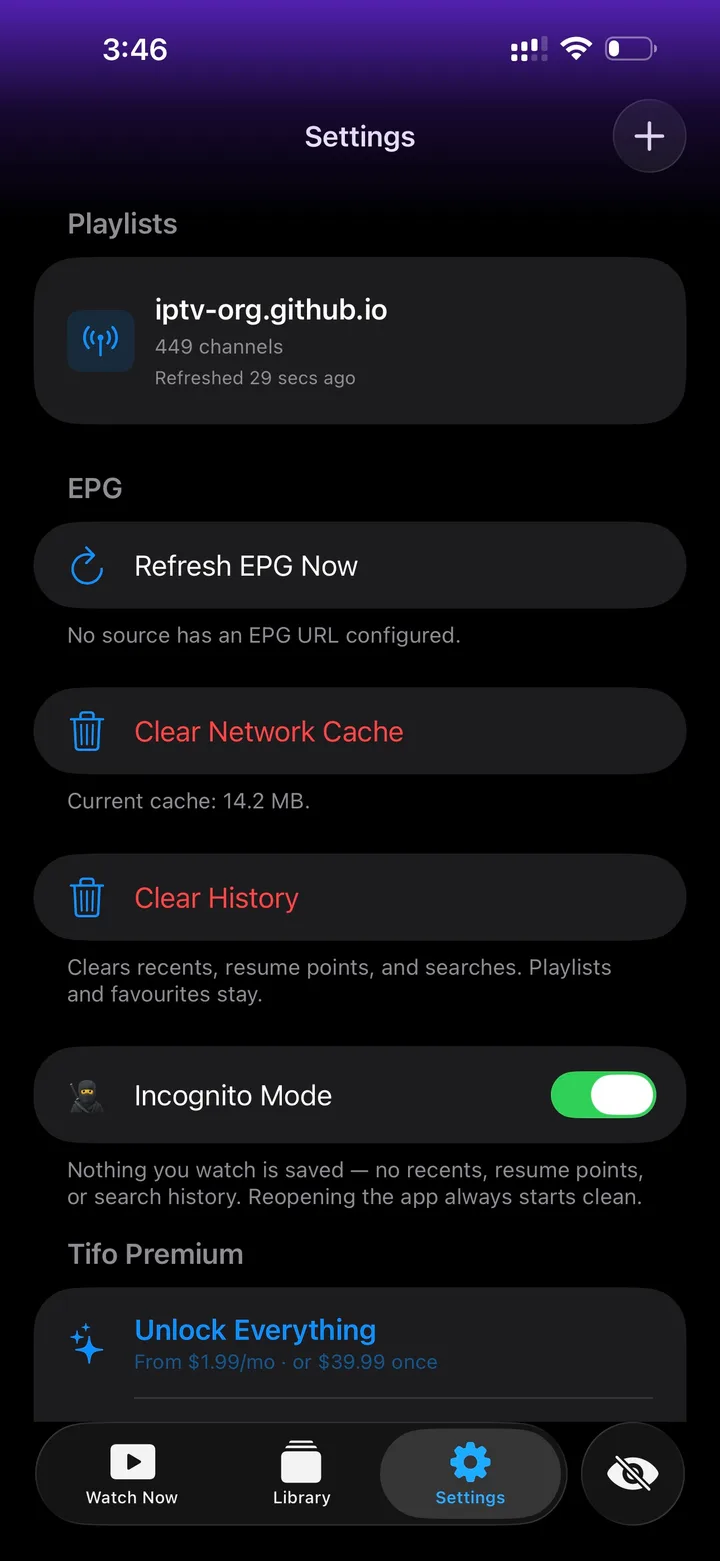
Incognito Mode
Section titled “Incognito Mode”Turn on Incognito Mode when you do not want Tifo to save new watch activity.
While it is enabled, Tifo avoids saving:
- recents;
- resume points;
- search history.
Reopening the app starts clean, so the next person using the device does not see your recent playback or searches in Tifo.
Clear History
Section titled “Clear History”Use Clear History when you want to remove existing local activity from the app.
It clears recents, resume points and searches. Your playlists and favourites stay in place, so this is not the same as deleting a source.
Clear Network Cache
Section titled “Clear Network Cache”Clear Network Cache removes cached network data that Tifo can rebuild. This can be useful after source changes, provider-side updates or troubleshooting.
Clearing the cache does not create channels or EPG data. If the source itself is missing guide data or has offline streams, refresh and cache cleanup cannot fix that source-side problem.
What not to screenshot
Section titled “What not to screenshot”If you contact support or ask for help, avoid sharing full playlist URLs, Xtream passwords, Stalker portal credentials or private tokens. Share the source type, device, app version and symptom first.